CyberArk Conjur
Introduction
This tutorial demonstrates how to get started with Secret Managers for Bamboo and CyberArk Conjur, henceforth abbreviated as just Conjur.
It should be noted that the CyberArk product portfolio includes the Dynamic Access Provider (DAP), as part of the Application Access Manager offering. DAP is CyberArk's enterprise version of the open-source Conjur project. As DAP and Conjur are API compatible in terms of variable access, both are equally supported by this plugin. All references to Conjur must as such be understood as a reference to DAP as well.
We assume a running Conjur server installation with administrative access, accessible from your Bamboo server installation. If this is not the case, kindly consult the Conjur documentation first.
For this tutorial, we assume the Conjur server resides at https://conjur.company.com, and an account named company has been created. Please adjust the provided instructions as needed.
This tutorial uses the CLI to access and configure Conjur.
Conjur Setup
Load Policy
We define a minimal root policy, specifying a cicd branch owned by the cicd-admins group:
# root_policy.yml

# groups
- !group cicd-admins

# grants
- !grant
  role: !group cicd-admins
  member: !user admin

# policy
- !policy
  id: cicd
  owner: !group cicd-admins
Load the policy using the CLI as follows:
$ conjur policy load root root_policy.yml
Next, we define a child policy of cicd for a fictitious project-x, holding a variable database-connection and accessible by host bamboo:
# project-x_policy.yml

- !policy
  id: project-x
  body:
    - &variables
      - !variable database-connection

    - !host bamboo

    - !layer project-x

    - !grant
      role: !layer project-x
      member: !host bamboo

    - !permit
      role: !layer project-x
      privileges: [ read, execute ]
      resources: *variables
Load this policy as a child of cicd as follows:
$ conjur policy load cicd project-x_policy.yml
Because a host resource is created when loading this policy, its generated api key will be returned:
{
  "created_roles": {
    "company:host:cicd/project-x/bamboo": {
      "id": "company:host:cicd/project-x/bamboo",
      "api_key": "rhhyxv3fdf3gq109ax8617cjbga29kz6wy1186mbv9px6pg1yssdgt"
    }
  },
  "version": 1
}
Take note of this value, as it will be used when configuring Bamboo later on. The fully-qualified id of the host will be required as well, being cicd/project-x/bamboo in this example.
Set Variable Value
The variable database-connection has been defined, but a value still needs to be set. Execute the following CLI command:
$ conjur variable values add cicd/project-x/database-connection supersecret
Conjur setup is hereby complete.
Bamboo Setup
It is assumed the Secret Managers for Bamboo plugin has been successfully installed in your Bamboo server installation. The plugin will add an administrative menu item Secret managers at the bottom of the Build Resources section.
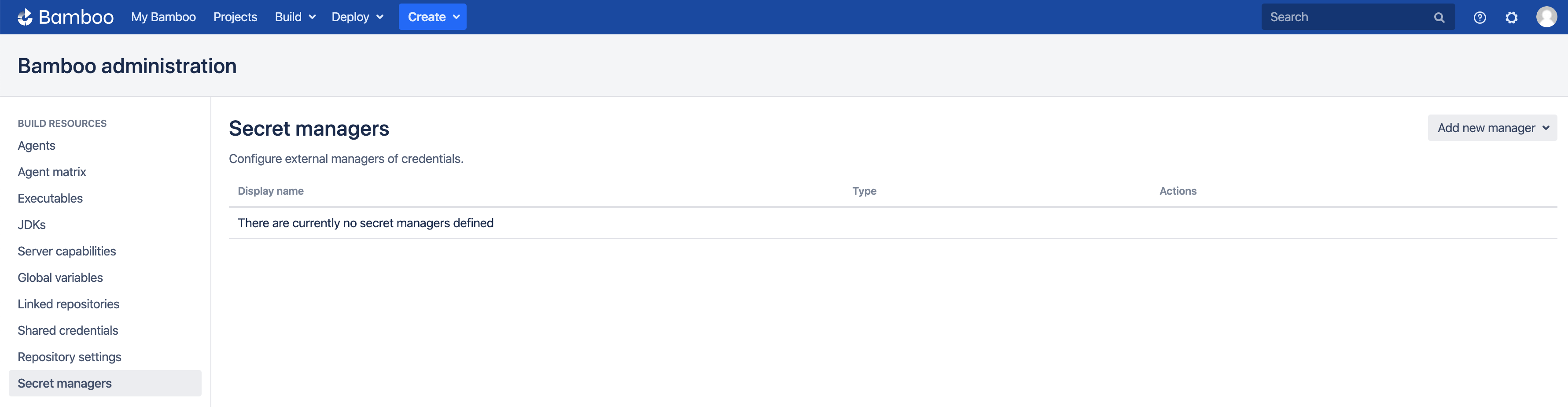
Add CyberArk Conjur Manager
On the Secret managers page, select CyberArk Conjur from the Add new manager drop-down in the upper-right. The Add new CyberArk Conjur dialog appears.
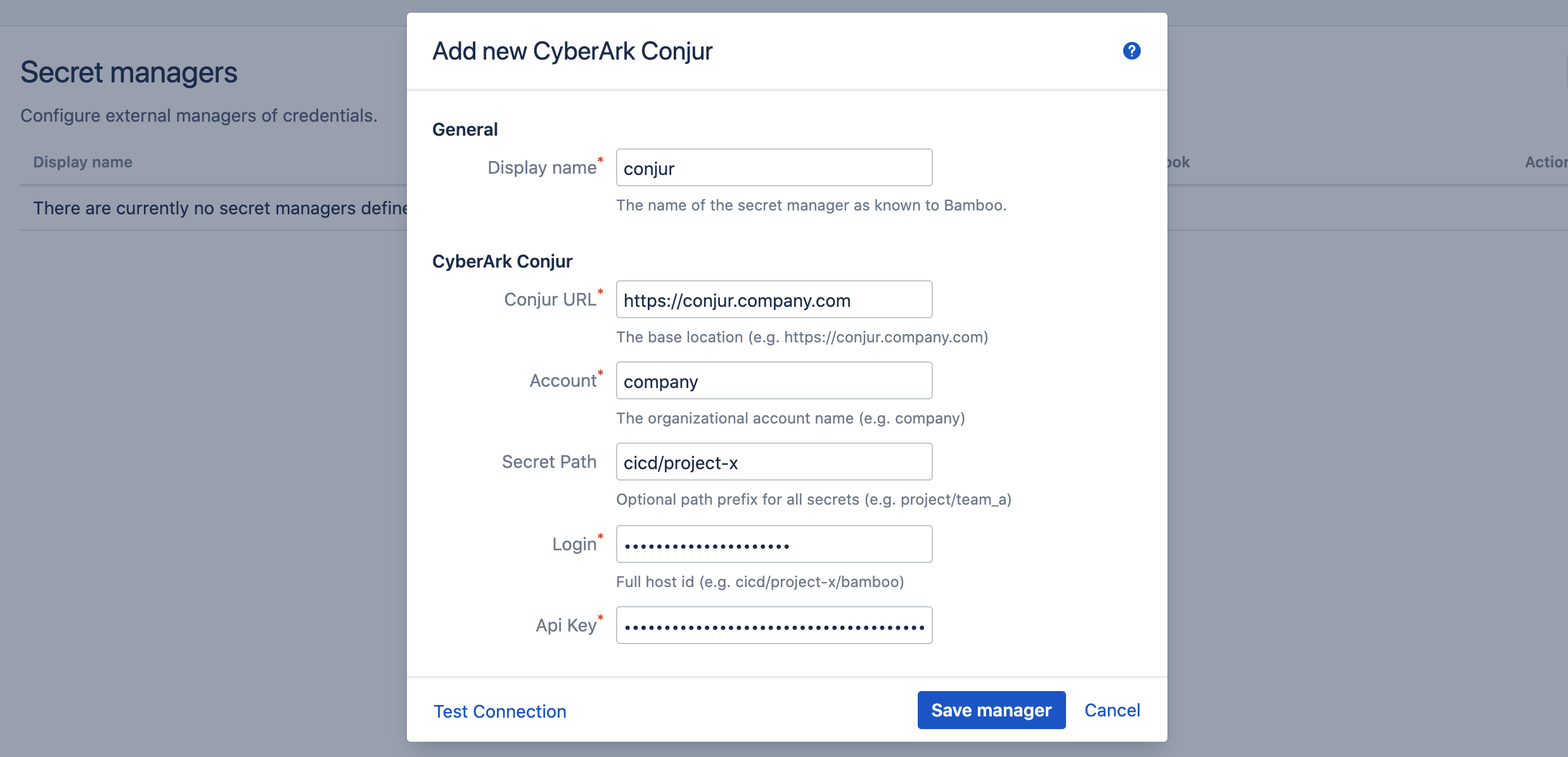
Complete the fields as indicated:
- Display name: this name is Bamboo-specific. It will appear on the Secret managers overview page, and is used to refer to the secrets held by this secret manager from Bamboo variable values. It can only contain 0-9, a-z, A-Z, and - (dash) characters.
- Conjur URL: the base URL of your Conjur server installation.
- Account: the account (i.e. tenant) within the installation.
- Secret Path: this field is optional and can be left blank. When defined, its value is prefixed to the path of each secret referenced by this secret manager. In our example, we defined the secret database-connection as part of the project-x policy. The project-x policy is itself a child of the cicd policy. The fully qualified id of the variable as such becomes cicd/project-x/database-connection. If we use cicd/project-x as value for this field, we can refer to the secret as just database-connection, otherwise we will need the full path (i.e. cicd/project-x/database-connection) everywhere this secret is used.
- Login: the fully-qualified id of the Conjur host.
- Api Key: the api-key of the Conjur host.
Before the manager is saved, the connection can be tested. When the connection fails, hover over the crossmark icon to reveal the cause.

It is important to understand that the 'Test Connection' functionality is not bulletproof, as none of the secret names are known to Bamboo at this point. Only some basic checks are performed on the provided data. The actual secret resolution only happens at build time, which can still fail for a number of reasons.
Once the manager is saved, it is shown in the overview from where it can be edited and deleted.
Define Secret Variable
We can now refer to the Conjur secrets from Bamboo global, project, plan or environment variables. As an example, we define our secret as a plan variable in the screenshot below.
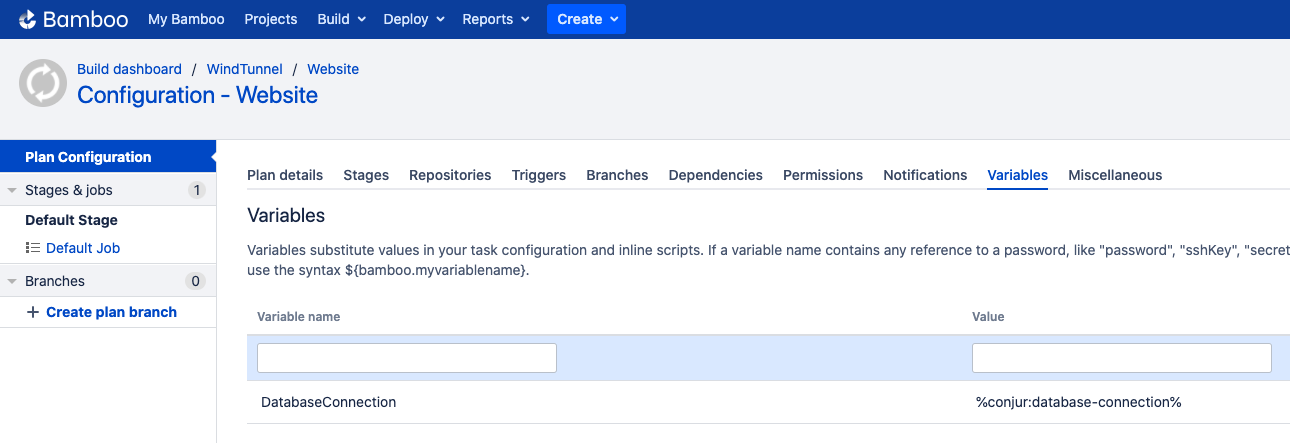
The value of the DatabaseConnection variable refers to the Conjur secret using the special syntax:
%<secret-manager-name>:<secret-path>%
Which in our case becomes:
%conjur:database-connection%
As explained above, if the Secret Path field would have been left empty in the Add new CyberArk Conjur dialog, the secret must be referenced as follows:
%conjur:cicd/project-x/database-connection%
See the variable syntax page for additional details.
Testing
As the secret is defined as a regular Bamboo variable, all existing use-cases regarding Bamboo variables apply. For additional information, please refer to the following Bamboo article.
To test our configuration, we define a simple script task printing our variable to the logs, as depicted in the screenshot below.
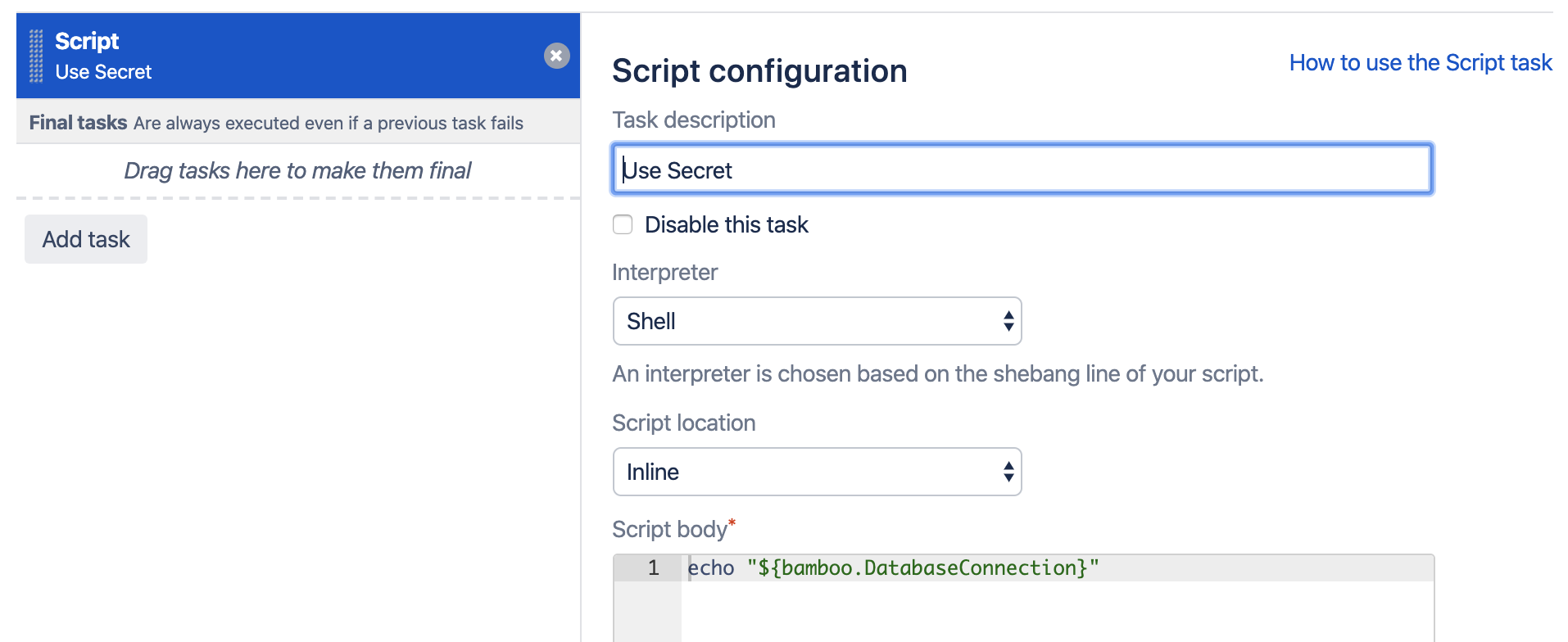
When running this plan, the logs will mention the Secrets Resolver pre-build action, which ad hoc resolves our secrets through the defined secret managers. The actual secret value only exists in memory for the duration of the build or deployment.

The plugin will also ensure that the secrets are never revealed in the logs.
Help & Support
Please create a support request here.