Keeper Secrets Manager
Introduction
This tutorial demonstrates how to get started with Secret Managers for Bamboo and Keeper Secrets Manager.
Keeper Setup
Please refer to the setup as documented in the Keeper Secrets Manager Quick Start Guide.
This tutorial will only deviate from and detail the setup of the Vault itself.
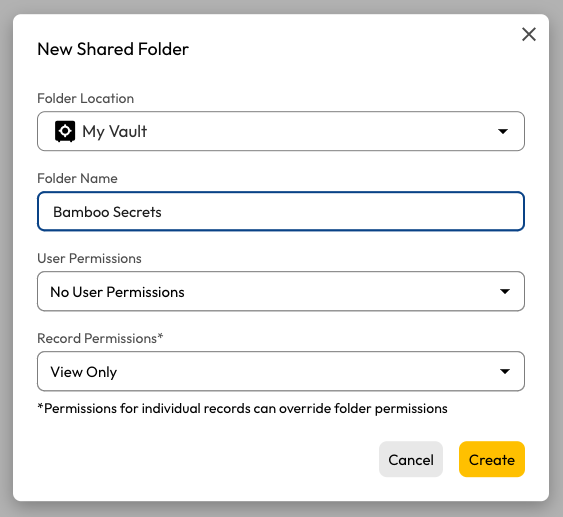
Create a new shared folder to be used by Bamboo. No user permissions are needed, and the record permissions should be set to View Only.
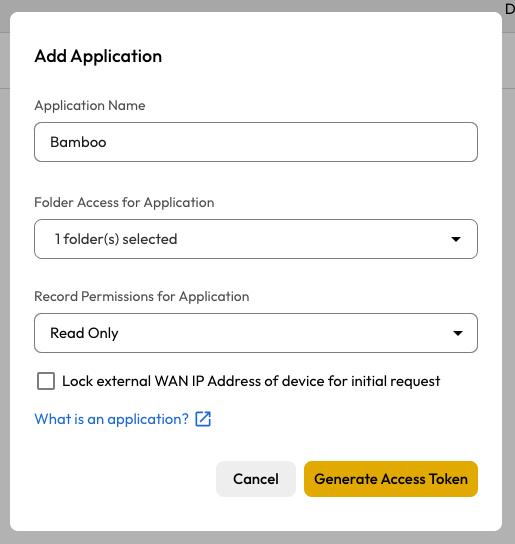
Next, create a Secrets Manager Application and grant Read Only permissions over the Bamboo Secrets folder.
Copy the provided application Access Token...
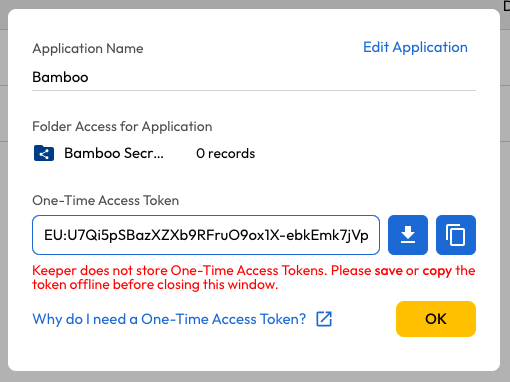
...and execute the following command on the Keeper CLI to generate the (base64 encoded) config file:
ksm init default EU:U7Qi5pSBazXZXc9RFwuO8ox1X-ebkEmv7jVpoFlxFyE
The resulting value will be used when setting up Bamboo, e.g.
ewogICAgImNsaWVudElk....MXovUDhpYUorNmJPTzBoQ0F2VkPbzAraVJRTT0iCn0=
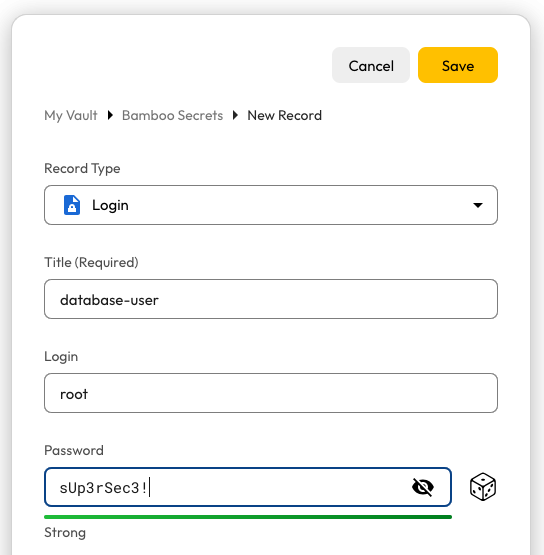
Finally, create a record of type Login in the Bamboo Secrets folder.
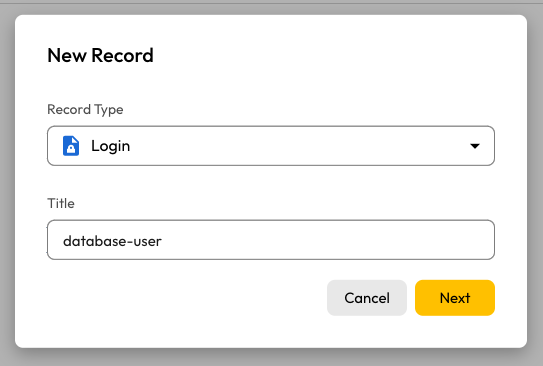
Provide a value for the Login and Password fields, as shown below.
Bamboo Setup
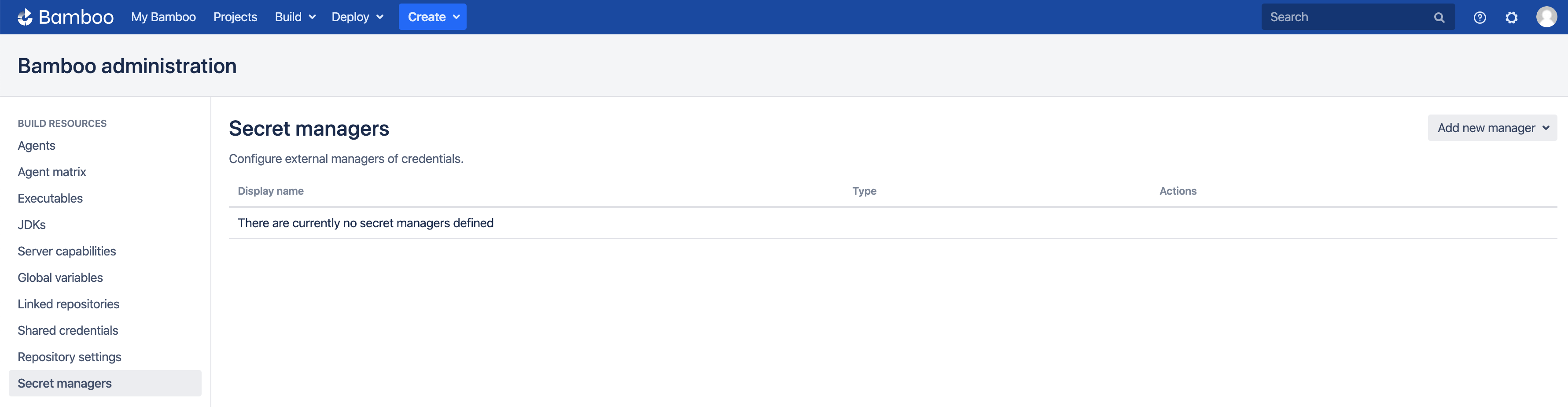
It is assumed the Secret Managers for Bamboo plugin has been successfully installed in your Bamboo server installation. The plugin will add an administrative menu item Secret managers at the bottom of the Build Resources section.
Add Keeper Secrets Manager
On the Secret managers page, select Keeper Secrets Manager from the Add new manager drop-down in the upper-right. The Add new Keeper Secrets Manager dialog appears.
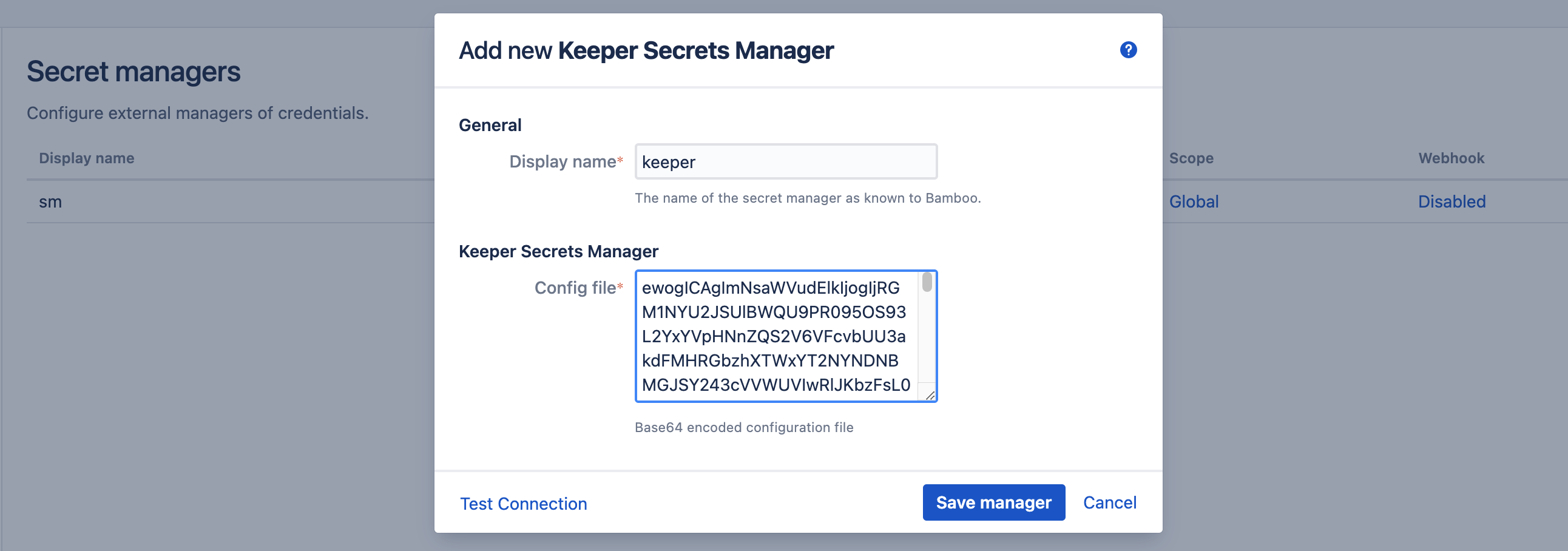
Complete the fields as indicated:
- Display name: this name is Bamboo-specific. It will appear on the Secret managers overview page, and is used to refer to the secrets held by this secret manager from Bamboo variable values. It can only contain 0-9, a-z, A-Z, and - (dash) characters.
- Config file: the base64-encoded value of the configuration file, as previously generated on the CLI from the (one-time) application access token.
Before the manager is saved, the connection can be tested. When the connection fails, hover over the crossmark icon to reveal the cause.
It is important to understand that the 'Test Connection' functionality is not bulletproof, as none of the secret names are known to Bamboo at this point. Only some basic checks are performed on the provided data. The actual secret resolution only happens at build time, which can still fail for a number of reasons.
Once the manager is saved, it is shown in the overview from where it can be edited and deleted.
Define Secret Variable
We can now refer to the Keeper Secrets Manager secret fields from Bamboo global, project, plan or environment variables. As an example, we define our secret as a plan variable in the screenshot below.
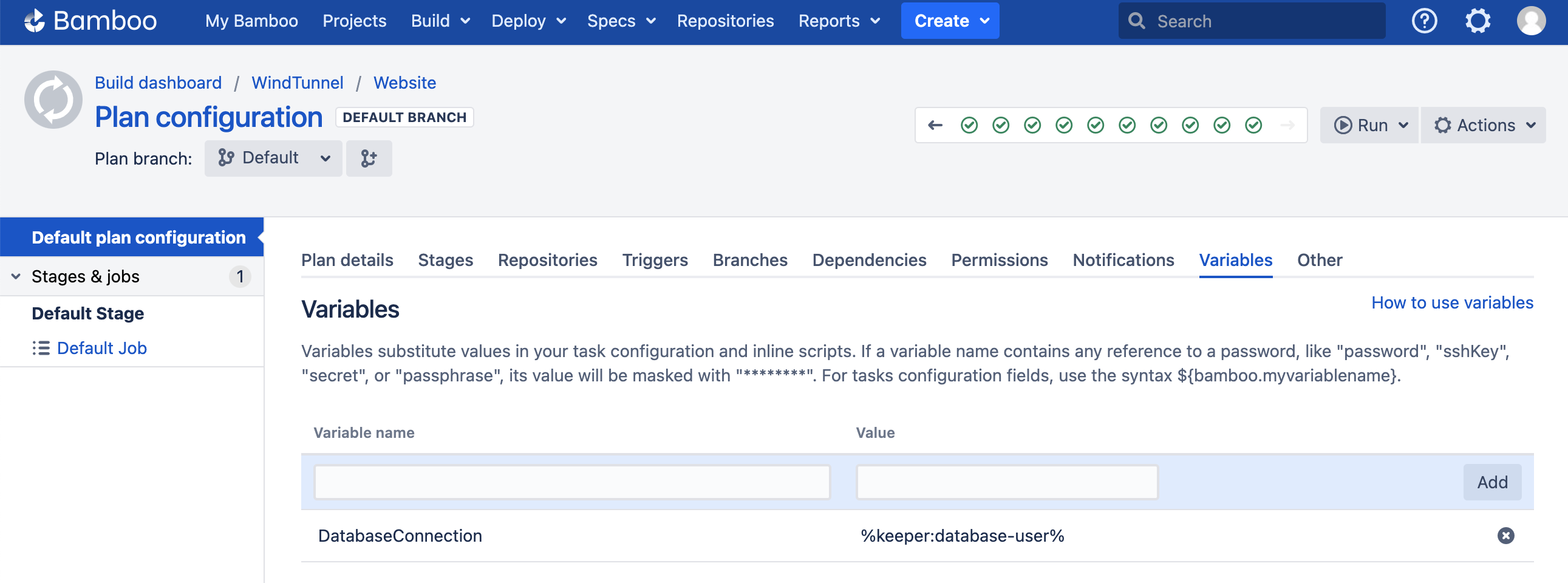
The value of the DatabaseConnection variable refers to the Keeper secret using the special syntax:
%<secret-manager-name>:<secret-path>%
Which in our case becomes:
%keeper:database-user%
This will resolve the value of the Password field of the record with title database-user. This is the default behavior. If we would like to resolve the value of the Login field instead, an additional discriminator value is needed as follows:
%keeper:database-user:login%
See the variable syntax page for additional details.
Testing
As the secret is defined as a regular Bamboo variable, all existing use-cases regarding Bamboo variables apply. For additional information, please refer to the following Bamboo article.
To test our configuration, we define a simple script task printing our variable to the logs, as depicted in the screenshot below.
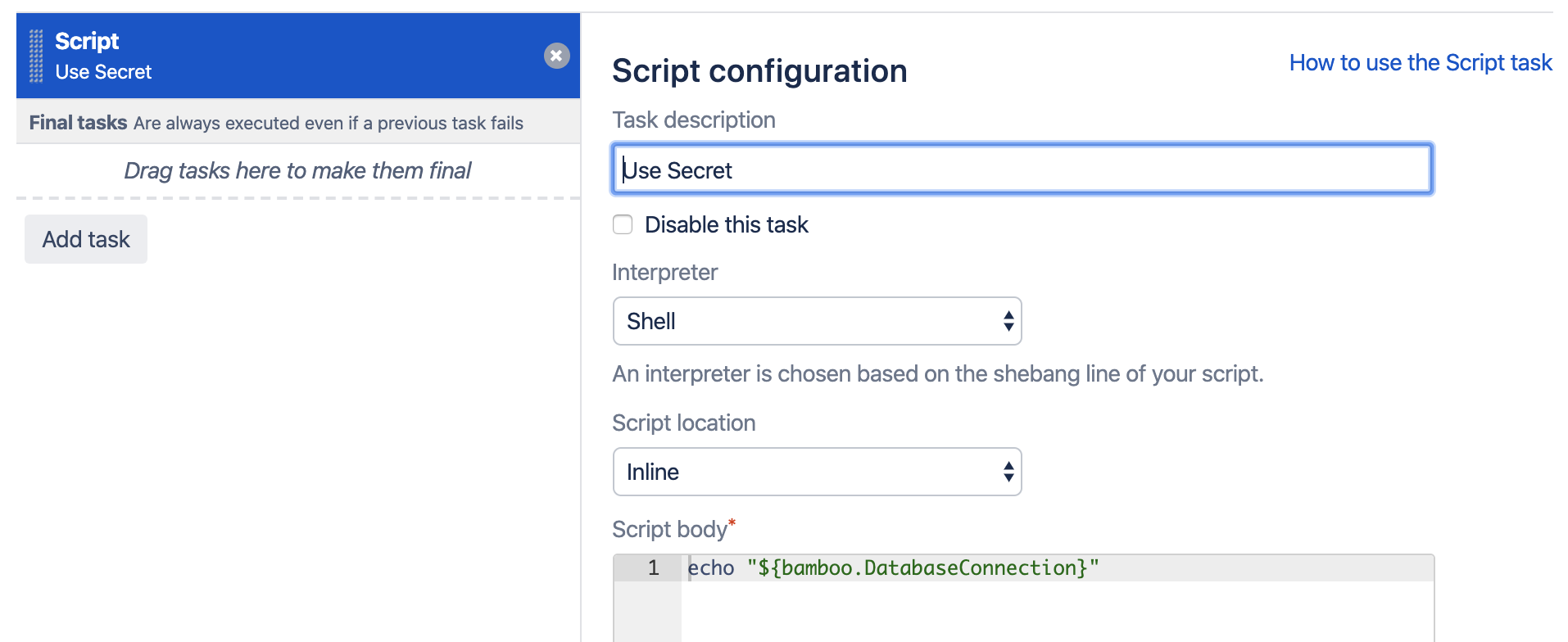
When running this plan, the logs will mention the Secrets Resolver pre-build action, which ad hoc resolves our secrets through the defined secret managers. The actual secret value only exists in memory for the duration of the build or deployment.

The plugin will also ensure that the secrets are never revealed in the logs.
Help & Support
Please create a support request here.